10 frontend portfolio projects that help you get hired
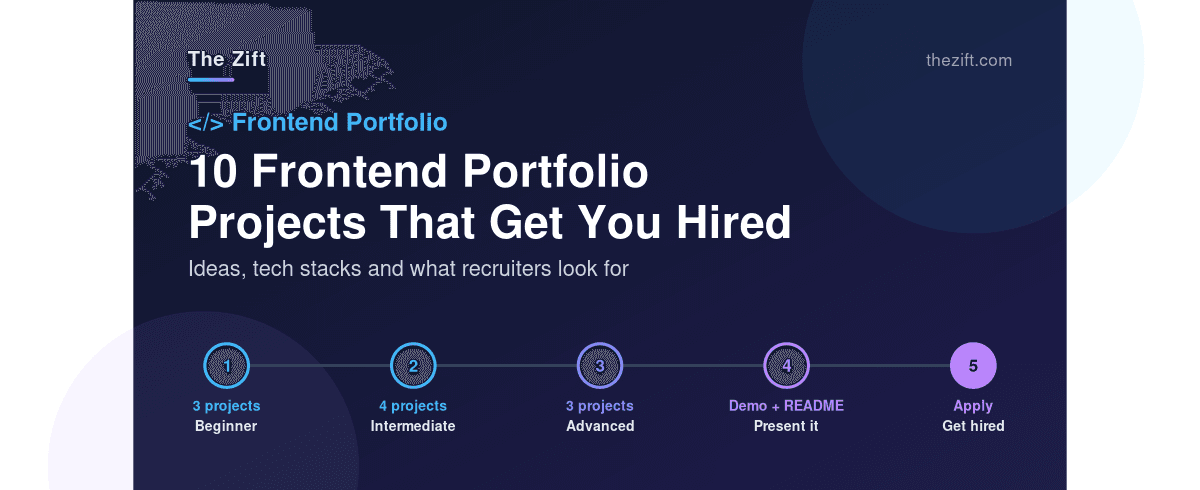
Ten frontend project ideas with suggested tech stacks, features to include and what recruiters usually look for in a portfolio

Ten frontend project ideas with suggested tech stacks, features to include and what recruiters usually look for in a portfolio
When a recruiter or hiring manager looks at a fresher's application, there is usually very little else to go on. No work experience, maybe a degree, maybe a certificate. Your frontend portfolio projects are the one place where you can show what you can actually build.
The problem is that most beginners build the same things as everyone else and present them poorly. This guide gives you 10 project ideas, split into beginner, intermediate and advanced, with a suggested tech stack, features to include and what each one proves. If you are looking for frontend project ideas for beginners, React project ideas or general web developer portfolio ideas, this list is built to take you from your first page to a portfolio that is ready for interviews.
You do not need all 10. Three to five well-built, well-presented projects are far better than ten unfinished ones.
Every company is different, but hiring managers reviewing portfolio projects for freshers usually care about a similar set of things.
Does it work = A live demo that loads and behaves correctly says more than a long description. Broken links and half-finished pages hurt more than a small, finished project helps.
Is it responsive = Many people will open your link on a phone. Check every project at mobile, tablet and desktop widths.
Is the code readable = Reviewers often open the repository. Clear file structure, sensible names and small components show good habits.
Did you solve a real problem = A project with a purpose, even a small one, is more memorable than yet another tutorial clone.
Can you handle real-world details = Loading states, error messages, empty states and form validation separate beginners from job-ready developers.
Is there evidence of your thinking = A README that explains what you built, why, and what you would improve shows how you reason, not just that you can copy code.
Accessibility and performance basics = Keyboard navigation, proper labels, alt text and reasonable load times are small details that stand out.
Keep these in mind as you read the projects below. Each one is a chance to show several of them.
These projects focus on the fundamentals: layout, styling and basic JavaScript. Build them first, but do not stop here.
1. Responsive landing page
What it shows: You can turn a design into clean, responsive pages.
Suggested tech stack: HTML, CSS (or Tailwind CSS), a little JavaScript.
Features to include: A hero section, a features section, pricing or testimonials, a contact form, a mobile menu and smooth layout changes from mobile to desktop.
Stretch idea: Add a dark mode toggle and a simple scroll animation.
Pick a real or imaginary product and design the page yourself, instead of cloning a famous website exactly. Original work stands out more than a copy.
2. Personal portfolio website
What it shows: You can present yourself professionally, which is half the job when applying.
Suggested tech stack: React with Tailwind CSS, or plain HTML, CSS and JavaScript if you are still learning React.
Features to include: An intro, a projects section with links to the live demo and the code, a skills section, a short story about you and a working contact link.
Stretch idea: Add a short case study page for your best project.
Your portfolio site is itself a project, so make sure it loads fast, works on mobile and has no placeholder text left in it.
3. Weather app
What it shows: You can fetch data from an API and show it in the interface.
Suggested tech stack: JavaScript or React, a free weather API, CSS or Tailwind.
Features to include: Search by city, current temperature and conditions, a multi-day forecast, loading and error states, and a message for cities that are not found.
Stretch idea: Use the browser's location feature, and remember the last searched city using localStorage.
This is a classic project, so it only stands out if the details are right. Handle bad input, slow networks and API errors gracefully.
At this level you are showing that you can build real features, manage state and structure a React application.
4. Movie or recipe search app
What it shows: You can work with API data, search, filters and multiple pages.
Suggested tech stack: React, React Router, Tailwind CSS and a free movie or recipe API.
Features to include: Search with debounce, a results grid, a detail page for each item, a favourites list saved in localStorage, pagination or infinite scroll, and loading skeletons.
Stretch idea: Add filters (genre, rating) and sorting, and keep the filters in the page URL so the page can be shared.
5. Expense tracker with charts
What it shows: You can handle forms, state, calculations and data visualisation.
Suggested tech stack: React, Context API or a small state library, Recharts or Chart.js, Tailwind CSS.
Features to include: Add, edit and delete expenses, categories, monthly totals, a chart for spending by category, form validation and saved data between visits.
Stretch idea: Add a monthly budget with a warning when the user is close to the limit, and an option to export data as CSV.
6. E-commerce product page with cart
What it shows: You understand shared state, complex UI and a flow that companies care about.
Suggested tech stack: React, Context API or Zustand, React Router, Tailwind CSS, and a free fake store API.
Features to include: A product listing with filters and sorting, a product detail page, add to cart, quantity changes, a cart total, a mock checkout form and a responsive layout.
Stretch idea: Save the cart between visits and add a wishlist.
7. Quiz or flashcards app with a timer
What it shows: You can manage app state across screens and handle logic cleanly.
Suggested tech stack: React, Tailwind CSS, localStorage.
Features to include: Topic selection, a timer, question navigation, a score screen, correct and wrong answer review and a history of past attempts.
Stretch idea: Let users add their own questions, and add keyboard shortcuts for answering.
A quiz app is also a nice way to show that you can build things you personally use for learning.
These projects show that you can work at a bigger scale. They are not required for a first job, but one of them can set you apart.
8. Analytics dashboard with login
What it shows: You can build a data-heavy interface with authentication and protected pages.
Suggested tech stack: React or Next.js, TypeScript, Tailwind CSS, a charting library, and an authentication service such as Firebase Auth or Supabase.
Features to include: Sign up and login, protected routes, a dashboard with several charts, filters by date range, a data table with sorting and search, and a responsive layout.
Stretch idea: Add role-based access (admin and viewer) and light and dark themes.
Use real or realistic data. A dashboard filled with obviously fake numbers looks unfinished.
9. Kanban board with drag and drop
What it shows: You can handle complex interactions, state updates and persistence.
Suggested tech stack: React, TypeScript, a drag-and-drop library, Tailwind CSS, and either localStorage or a backend such as Supabase.
Features to include: Multiple boards and columns, creating, editing and deleting cards, drag and drop between columns, saved order, keyboard-friendly controls and an empty state.
Stretch idea: Add labels, due dates, search and an undo option.
Drag and drop is tricky to do well, and accessibility is part of that challenge. A version that also works with the keyboard shows real care.
10. Full-stack job board or mini marketplace
What it shows: You can connect a frontend to a real backend and manage a full user flow.
Suggested tech stack: Next.js, TypeScript, Tailwind CSS, a database such as PostgreSQL or Supabase, authentication, and deployment on a platform like Vercel.
Features to include: Listings with search and filters, a detail page, user accounts, a form to post and edit listings, image upload, validation, server-side data fetching and a deployed live version.
Stretch idea: Add email notifications, saved searches and basic tests for key flows.
This kind of project takes weeks, not days. Build it in stages, ship each stage, and keep notes about decisions you made along the way.
A good project presented badly looks average. A decent project presented well looks professional. For each project you plan to show, prepare three things.
1. A live demo
Deploy every project on a free host such as Vercel or Netlify.
Test the link in a private browser window and on your phone before you share it.
Make sure it works without needing a login you have not explained. If login is needed, add a demo account.
2. A clear README
Your README is the first thing a reviewer reads in the repository. Include:
A one-line description of what the project does
A screenshot or short GIF
The live demo link
The tech stack
The main features
How to run it locally, in simple steps
What you learned or what you would improve
Keep it short and easy to scan. Nobody wants a wall of text.
3. A short case study (for your best two or three projects)
On your portfolio site, write a short page for your strongest projects. Cover:
The problem: what you wanted to build and why
Your approach: the key decisions, such as why you picked a certain library or how you structured state
The hard part: one real challenge and how you solved it
The result: what it does now, plus what you would do next
A case study shows how you think, which is something code alone cannot show. Keep it to a few hundred words.
A few more habits that help
Use clear commit messages and commit often, so your history shows steady progress.
Pin your best three to six repositories on your GitHub profile.
Link your portfolio, GitHub and LinkedIn on your resume and in your applications.
Showing only tutorial clones. If your project is identical to a popular tutorial, reviewers will have seen it many times. Change the idea, the design or the features so it is clearly your own.
Too many unfinished projects. Five half-built apps say less than two complete ones. Finish before you start something new.
Broken demos and dead links. Always test your links. A demo that does not open loses the reviewer instantly.
No mobile layout. If it breaks on a phone, many viewers will leave.
Empty README files. A repository with no explanation makes people guess what it is.
Ignoring error and loading states. Real apps fail and load slowly. Handle both.
Poor design and spacing. You do not have to be a designer, but consistent spacing, readable fonts and a clean colour palette make a big difference.
Too much text, not enough proof. Listing skills like "React, Node, AWS" without projects to back them up does not convince anyone. Show, do not just tell.
Leaving secrets in the code. Never commit API keys or passwords. Use environment variables and add them to your ignore file.
Copying code you cannot explain. In an interview, you may be asked about any line of your project. If you cannot explain it, do not include it.
Skipping accessibility. Missing alt text, unlabelled buttons and no keyboard support are easy to fix and easy for reviewers to notice.
How many projects should a fresher have in a portfolio?
Three to five strong projects are enough for most fresher roles. Quality matters more than quantity, so choose a mix of difficulty levels and make sure each one is complete and deployed.
Which projects are best for a frontend developer portfolio?
Projects that use APIs, manage state, handle forms and work well on mobile are the most useful. A search app, an expense tracker and an e-commerce page cover a lot of ground, and one advanced project with authentication can help you stand out.
Should I use React for my portfolio projects?
React is a safe choice for most frontend job listings, so having at least two or three React projects is a good idea. Build one or two simple projects with plain HTML, CSS and JavaScript too, to prove your fundamentals.
Do I need a backend in my projects?
Not for most fresher frontend roles. Using public APIs or a backend service like Firebase or Supabase is enough. One full-stack project is a bonus, but it is not required.
Is it okay to build a to-do app?
It is fine as a learning exercise, but it is so common that it adds little to a portfolio. If you build one, make it clearly different, for example by adding drag and drop, categories or a calendar view.
How long should each project take?
Beginner projects usually take a few days to a week. Intermediate projects can take one to three weeks, and advanced projects can take several weeks. It depends on your schedule and experience.
Should I put my projects on GitHub?
Yes. Put every project on GitHub with a clear README, and pin your best ones to your profile. Recruiters often check it.
What if I have no design skills?
Start with a clean layout, consistent spacing and a simple colour palette. You can use a component library or Tailwind CSS to keep things looking tidy, and look at well-designed sites for inspiration without copying them.
Do I need a custom domain for my portfolio?
It is not required, but a simple custom domain looks more professional. A free hosting URL is fine to begin with.
Pick one project from each level and start with the one that feels slightly difficult but doable. Build with components from The Zift, then look for roles that fit your portfolio. Ship each project, write the README, and add it to your portfolio before you start the next one. A few finished projects will take you much further than a long list of ideas.